
OneKDS Android Kitchen Display System
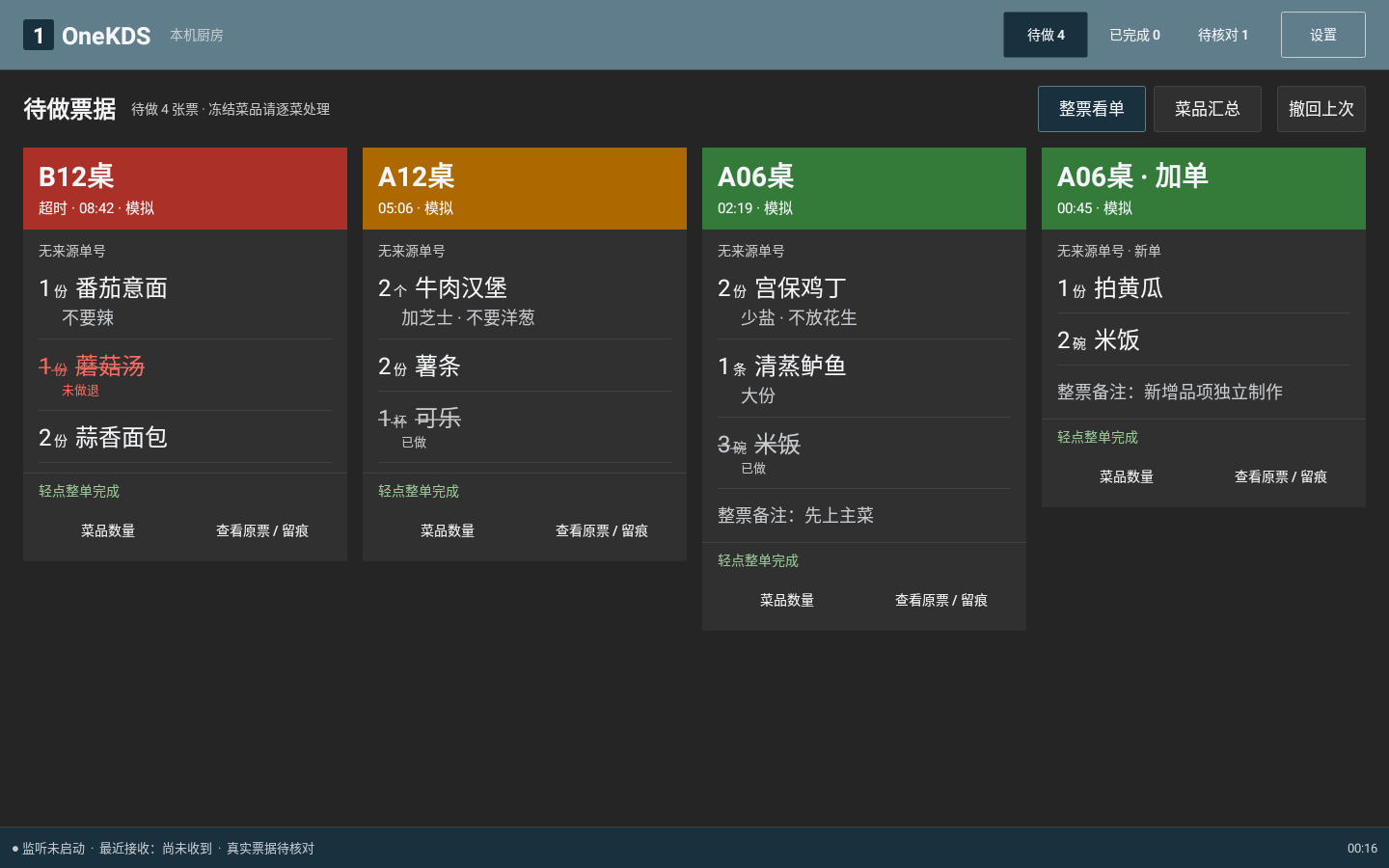
OneKDS Android kitchen display system for supported local kitchen tickets, exception review, preparation, layout and alert settings, and source tracing.
Public release and requirements
Version 1.4.15, released 2026-10-27. Requires Android 5.0 / API 21 or later. The application is in Chinese. The minimum OS version does not guarantee compatibility with every device.
What is OneKDS?
A KDS (Kitchen Display System) displays kitchen tickets and preparation progress on a screen. OneKDS supports restaurant kitchen execution; it does not replace POS checkout or payment systems.
OneKDS Android kitchen display system for supported local kitchen tickets, exception review, preparation, layout and alert settings, and source tracing.
- Public download
- OneKDS 1.4.15 · 2026-10-27
- Platform
- Android 5.0 / API 21 or later; each device requires validation
- Language
- Android app in Chinese; website in Chinese and English
- Compatibility
- Confirm POS versions, text ticket templates and store networks; not universal POS support
- Analytics and assistant
- Planned SaaS web workspace; not included in the current public release
Public-release facts. Verify against: release notes · package and checksum · Android product details
How do KDS, POS and business analytics differ?
OneKDS handles kitchen preparation, not payment transactions. Web business analytics remain planned.
| System | Purpose | Current scope |
|---|---|---|
| POS | Checkout and transaction records | Existing store system; not replaced by OneKDS |
| OneKDS Android | Ticket review, preparation and source tracing | Public release 1.4.15, within supported conditions |
| OneKDS SaaS | Business reporting and a proactive assistant | Planned; website simulation only, no live AI |
Pricing has not been published. An APK download does not imply online purchasing, a perpetual free license or inventory availability.
Receiving and review
Receive local TCP tickets and retain source records with a supported POS, text ticket template and store network. Complete, unambiguous supported tickets can enter preparation automatically. Unknown, incomplete, suspected reprint and unclear cancellation tickets still need review.
Preparation and tracing
View tables, items, modifiers and quantities, with partial completion, manual cancellation handling and undo. Source tickets and action records support review; completing a ticket does not mean completing a table.
Waiting-time indicators
Configure local yellow and red waiting thresholds, with defaults of 5 and 10 minutes. Kitchen alerts do not mean that cloud analytics or the business assistant are available.